

1. Register a Tenant Account (New Organizations)
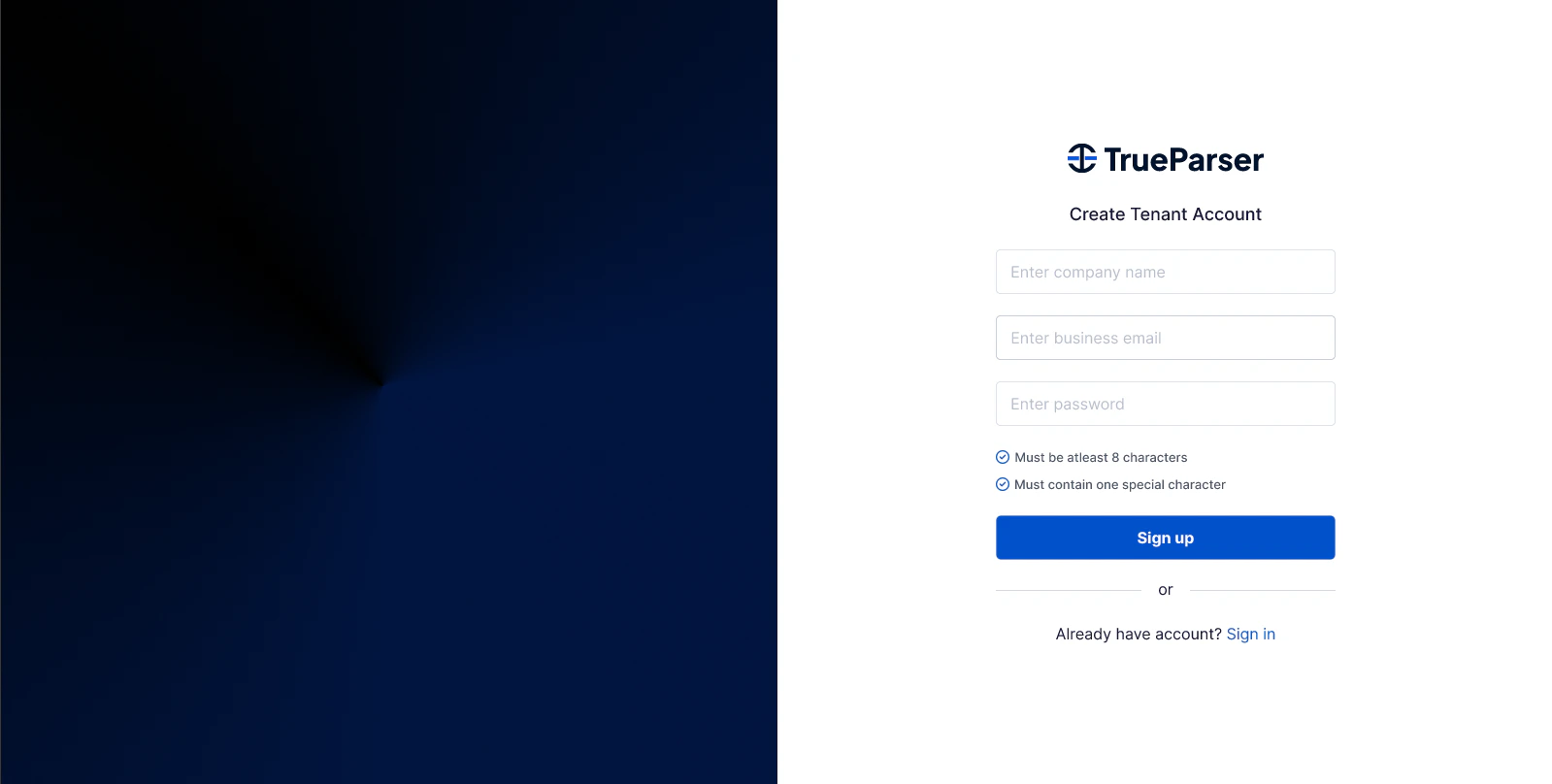
If you are setting up a new organization or business context on the platform, start by registering a Tenant Account.- Navigate to dashboard.trueparser.com.
- Provide your Company Name, Admin Email Address, and a secure Password.
- Upon form submission, the backend initializes your organization’s context, pre-warms your asymmetric key material, and schedules your welcome email.
- By default, new self-registered tenants are queued in a
Pending Activationstate.
2. Wait for Tenant Activation
To protect platform resources, new tenant applications cannot immediately issue machine-to-machine (M2M) credentials. Depending on the system’s runtime configuration, activation is processed in one of two ways:- Auto-Activation via Email (GA Flow): You will receive an activation email containing a secure token. Clicking the link takes you to the frontend
/activatepage, which validates the token and activates the tenant instantly. - Manual Activation (Beta Flow): A platform administrator verifies your request and manually enables your tenant.
3. Team Member Invitation & Onboarding (User Account Creation)
If you are joining an existing organization, you cannot publicly register. An administrator in your tenant must invite you using the User Management screen.- The administrator enters your email and assigns a security role (e.g.,
DeveloperorAdmin). - The backend generates a secure token and queues an invitation email.
- Clicking the link in the invitation email takes you to the User Account Creation screen to complete your profile registration.

4. Password Security & Password Resets
If you or a team member forgets a password, use the password reset flow.- Enter your registered email address on the sign-in page to request a reset link.
- The system generates a time-limited token and delivers a branded password reset email.
- Open the link to load the secure reset page where you can safely apply your new credentials.
Password Reset Request

New Password Entry

5. Dashboard Sign-In
Once your tenant is activated or you have successfully registered your user profile via a team invitation, you can sign in to the control plane.- Navigate to the sign-in interface at dashboard.trueparser.com.
- Standard Sign-In: Authenticate securely using your registered Email and Password.
- External Authentication (SSO): If your organization uses corporate accounts, select Sign in with Google to authenticate via Google SSO (pre-configured at the host level).

6. Explore the Developer Dashboard (v1)
Once your account is active and you sign in, you are greeted by the TrueParser Developer Dashboard (v1). This central hub is divided into core navigation tiles and helper sections.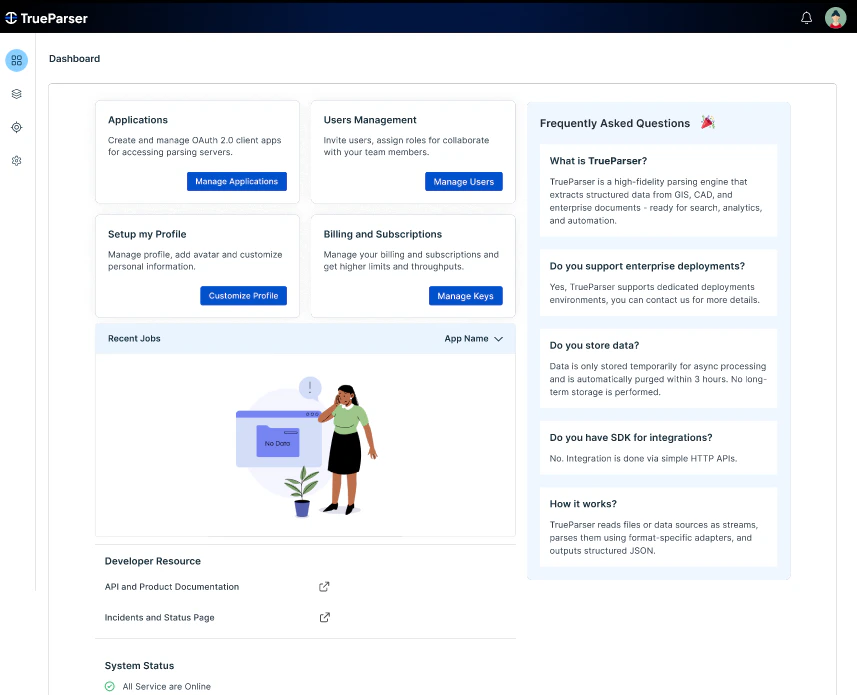
The Core Management Tiles:
- Application Management: Create, enable/disable, and configure machine identities (Apps) for your backends.
- User Management: Invite team members, track invitation status (e.g.,
Pending,Accepted,Expired), and manage role assignments. - Set Up Profile: Configure your personal user details and security parameters.
- Billing: View your current subscription level and assigned plan quotas.
Utility Panels & System Info:
- Recent Jobs: Monitor recent document-parsing tasks, status outputs (
Success,Failed), and processing statistics. - Documentation Portal: Quick links to developers’ guides, API contracts, and integration tutorials.
- System Status: Real-time liveness and readiness status indicator for control plane services and data plane nodes.
- Frequently Asked Questions (FAQ): Curated assistance for common setup issues, storage configs, and key rotations.